Case Study
Case Study
Case Study
Mixed Reality on Mobile
Mixed Reality on Mobile
Mixed Reality on Mobile
Overview
Overview
Overview
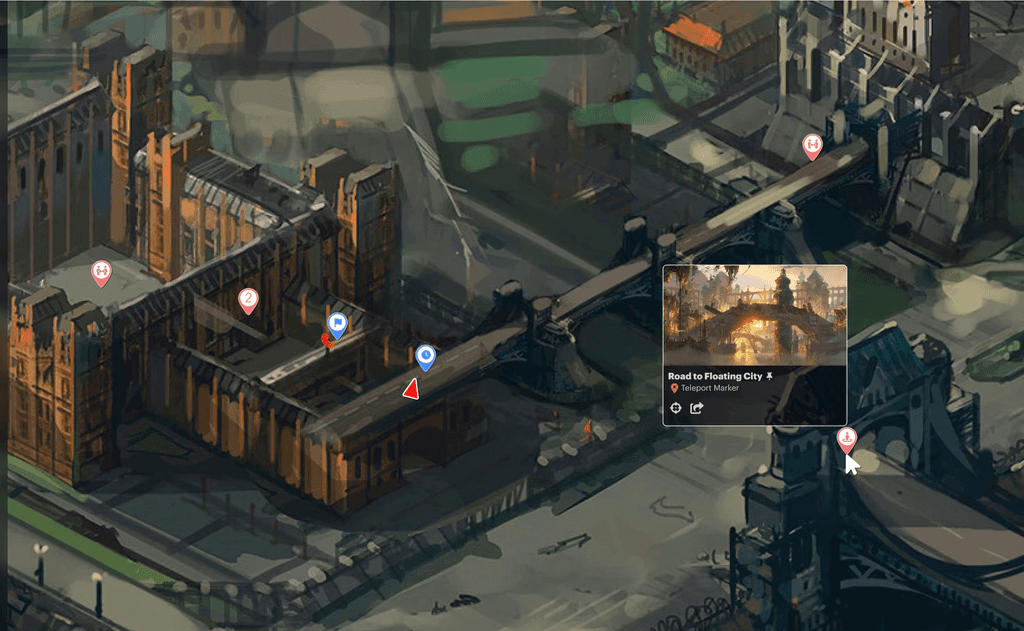
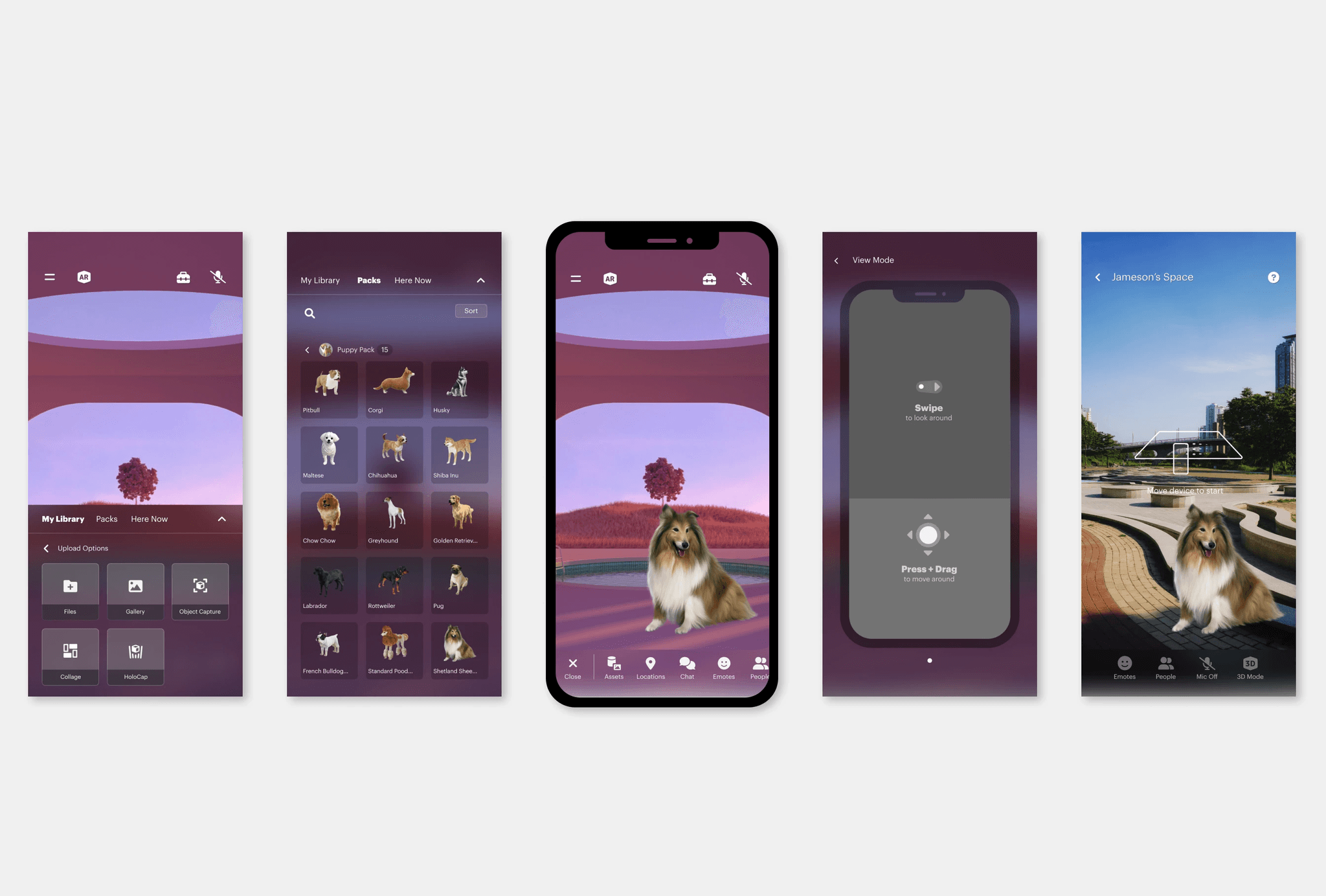
OKO by Magnopus is a cross-reality platform that enables developers to build connected 3D spaces in the Metaverse. Users can explore and contribute to spatial content created by various individuals and companies. It is accessible via web browser, mobile AR application, Unreal Engine, and VR platforms. The mobile AR application specifically gives creators the power to add a digitally interactive layer of 3D content to a real-world physical space.
Role and Outcome
Role and Outcome
Role and Outcome
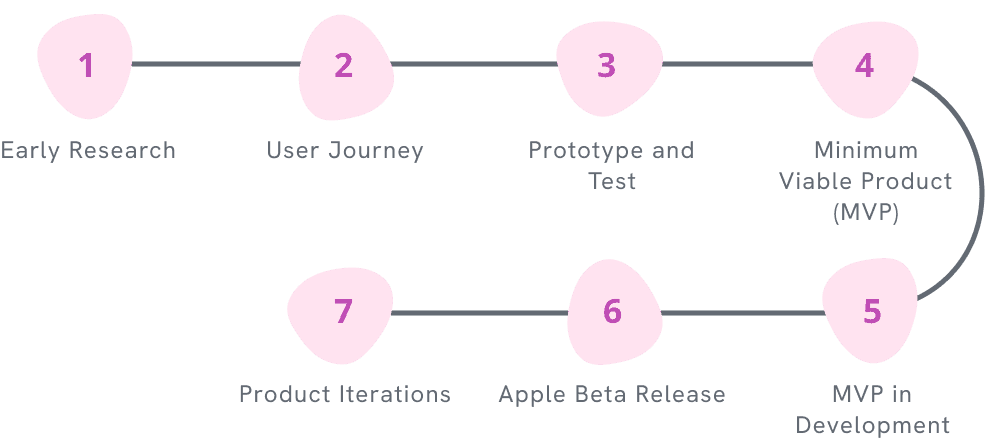
For a year, I worked with the Unity engineering team to design and develop an iOS application for OKO. The mobile AR application had a Beta launch on the App Store in the fall of 2022.
Mobile Development
Mobile Development
Generative Research
Generative Research
Usability Testing
Usability Testing
Prototyping
Prototyping
Mobile AR Application Project Plan
Early Research
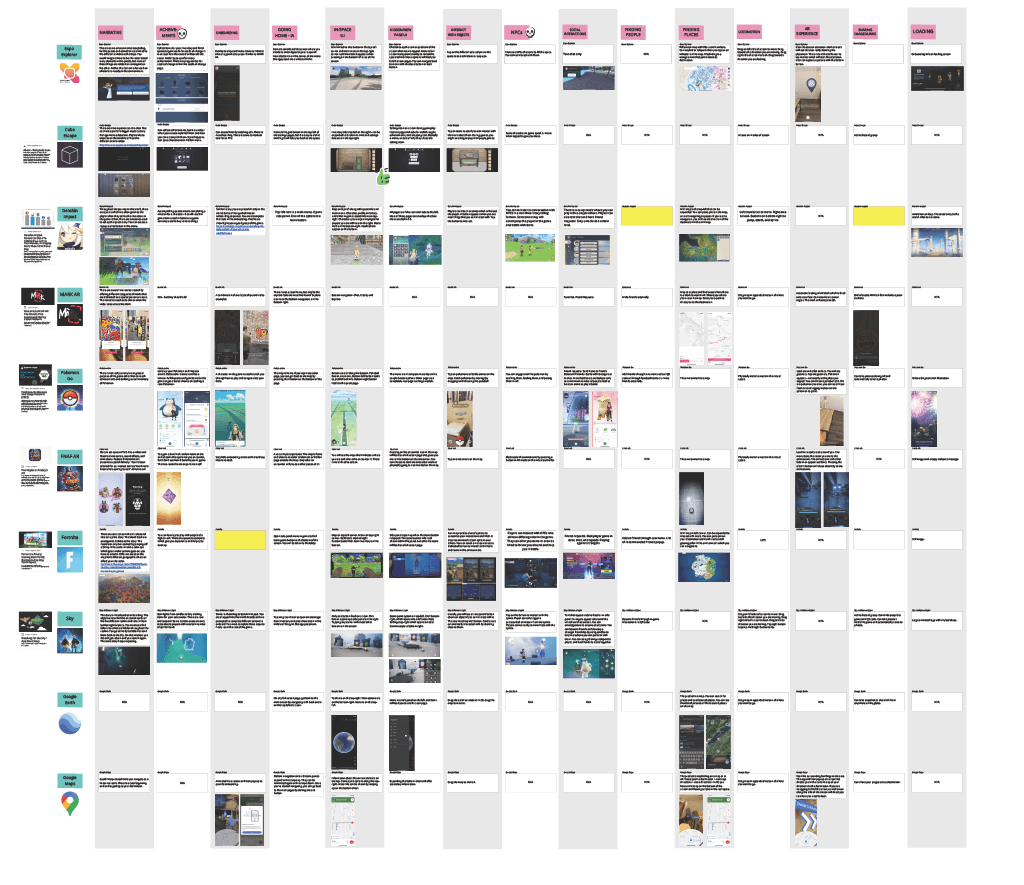
Initially the mobile concept for OKO was focused on the visitor’s experience of a 3D space as an avatar. To gather inspiration for the products’ features, I conducted an audit of other mobile products that incorporated 3D environment and avatar interactions and compared the user experience of overlapping feature sets.
Initially the mobile concept for OKO was focused on the visitor’s experience of a 3D space as an avatar. To gather inspiration for the products’ features, I conducted an audit of other mobile products that incorporated 3D environment and avatar interactions and compared the user experience of overlapping feature sets.

User Journey and Generative Research
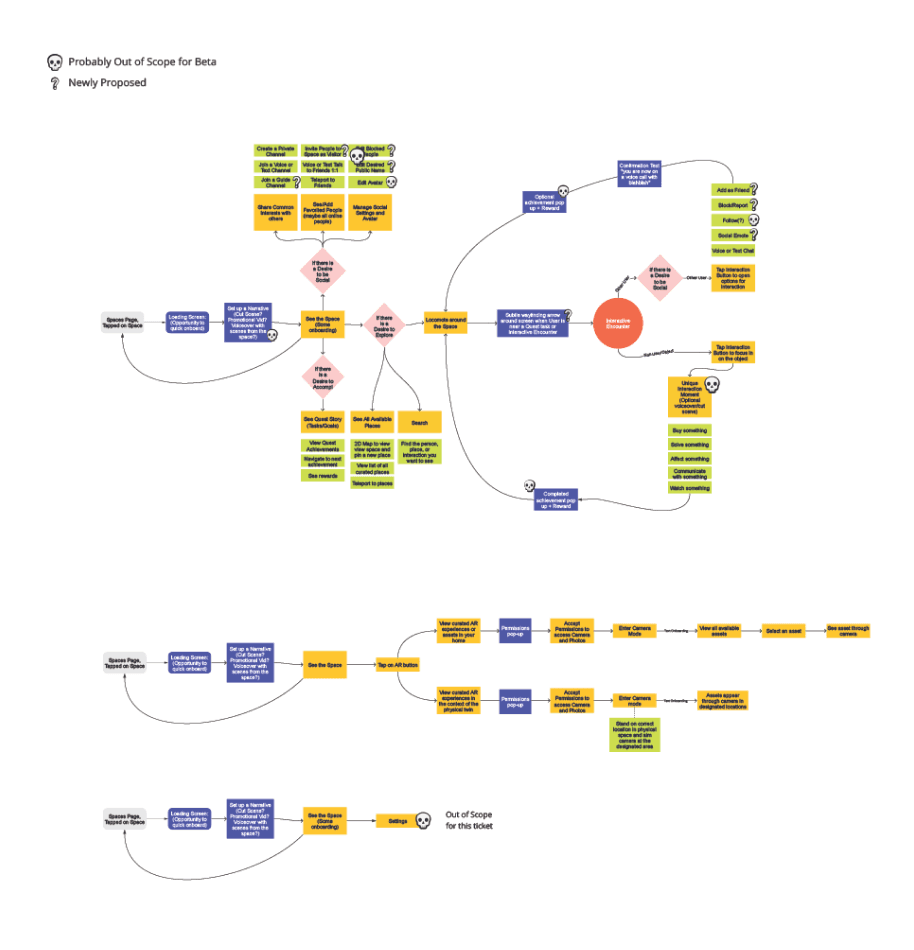
After having several low-fidelity concepts reviewed by product managers, I worked on the user journey. I had to consider the different experiences as a creator, a collaborator, and a visitor of a 3D mixed-reality space. I revisited the user journey several times throughout the product development process, and even used it as a tool to interview real users/customers to understand user needs and insights.
After having several low-fidelity concepts reviewed by product managers, I worked on the user journey. I had to consider the different experiences as a creator, a collaborator, and a visitor of a 3D mixed-reality space. I revisited the user journey several times throughout the product development process, and even used it as a tool to interview real users/customers to understand user needs and insights.
Prototype and Test
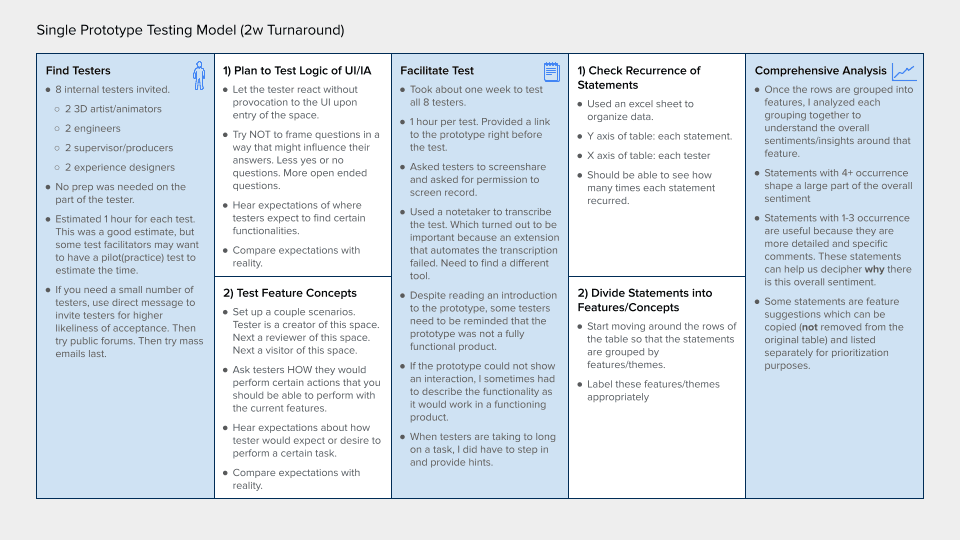
With the resources available to me, I conducted several user tests with no-code Figma prototypes and coded Unity prototypes. After testing, I delivered a presentation of findings and recommendations to the design manager, product managers, and Head of Product. The recommendations of the tests influenced directives given to development teams by product management.
With the resources available to me, I conducted several user tests with no-code Figma prototypes and coded Unity prototypes. After testing, I delivered a presentation of findings and recommendations to the design manager, product managers, and Head of Product. The recommendations of the tests influenced directives given to development teams by product management.
THE ASK
How can we give creators access to powerful space management tools without sacrificing the view of the space?
How can we give creators access to powerful space management tools without sacrificing the view of the space?
ACCEPTED SOLUTION
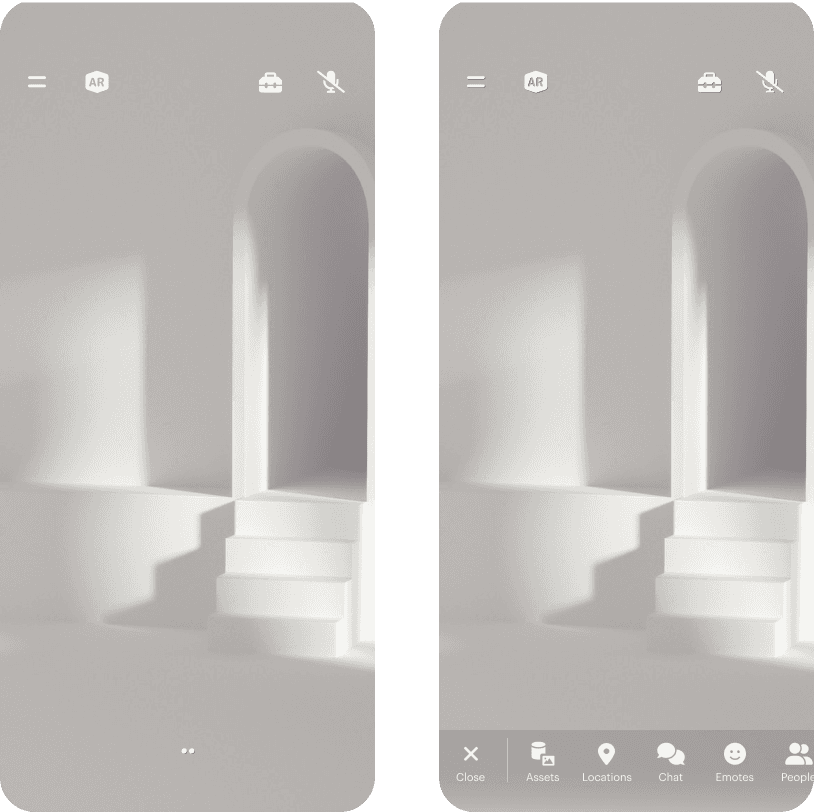
Progressive disclosure of UI: button opens into scrollable tab bar, which then can expand into a floating panel, which then can expand into full screen UI.
Tap anywhere in the space to hide all panels and tabs.
Progressive disclosure of UI: button opens into a scrollable tab bar, which then can expand into a floating panel, which then can expand into full screen UI.
Tap anywhere in the space to hide all panels and tabs.
The Ask
How can we give creators access to powerful space management tools without sacrificing the view of the space?
Accepted Solution
Progressive disclosure of UI: button opens into a scrollable tab bar, which then can expand into a floating panel, which then can expand into full screen UI.
Tap anywhere in the space to hide all panels and tabs.
THE ASK
For the MVP, how can we provide an alternative to the interactive onboarding experience that takes less development effort?
For the MVP, how can we provide an alternative to the interactive onboarding experience that takes less development effort?
ACCEPTED SOLUTION
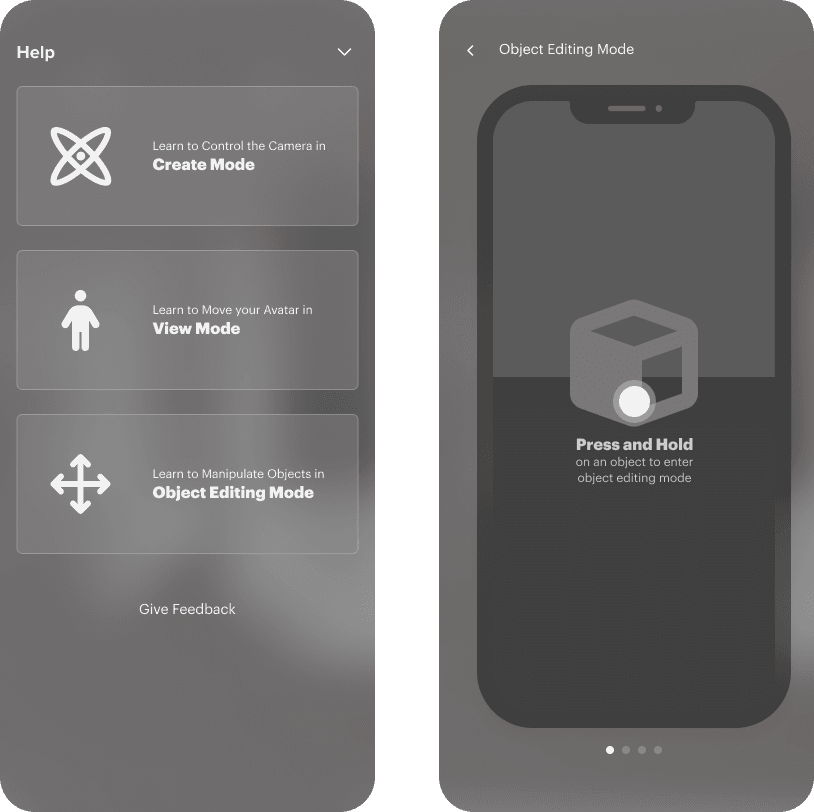
Users are guided to the help page upon first time entry into a space. The help page can be accessed at any time in the scrollable tab bar.
Simple graphics are used to demonstrate touch interactions.
The Ask
For the MVP, how can we provide an alternative to the interactive onboarding experience that takes less development effort?
Accepted Solution
Users are guided to the help page upon first time entry into a space. The help page can be accessed at any time in the scrollable tab bar.
Simple graphics are used to demonstrate touch interactions.
THE ASK
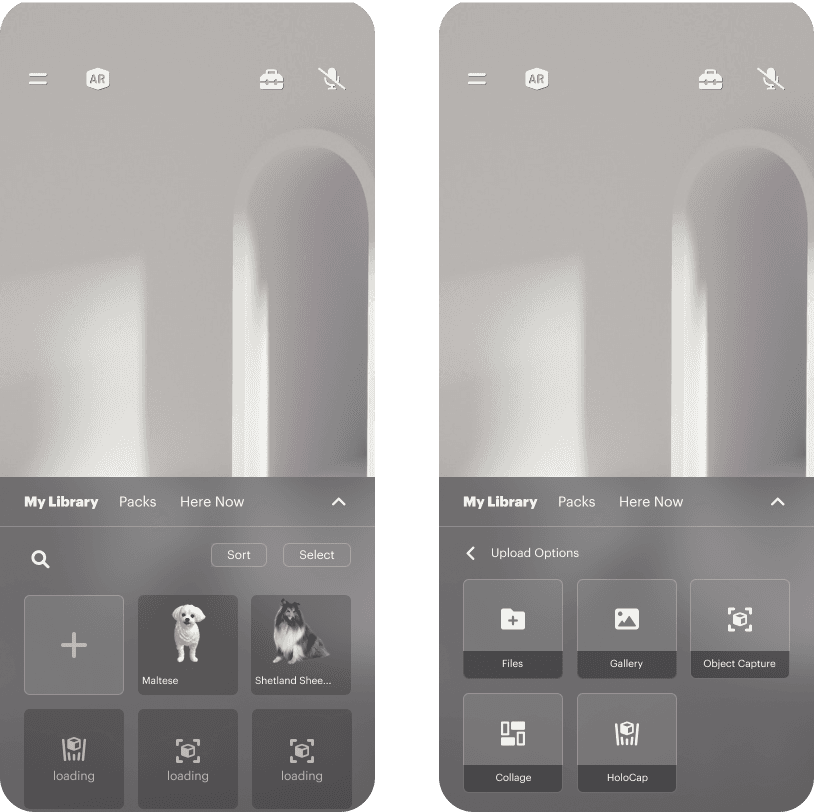
How can we incorporate iOS object capture in the existing object placement experience?
How can we incorporate iOS object capture in the existing object placement experience?
ACCEPTED SOLUTION
When the upload button is pressed, the user is given several options to import a 3D object. One of those options is object capture, and selecting this option will open up an in-app object capture flow.
At the end of the flow, the object is processed and saved as an asset in the space.
The Ask
How can we incorporate iOS object capture in the existing object placement experience?
Accepted Solution
When the upload button is pressed, the user is given several options to import a 3D object. One of those options is object capture, and selecting this option will open up an in-app object capture flow.
At the end of the flow, the object is processed and saved as an asset in the space.
THE ASK
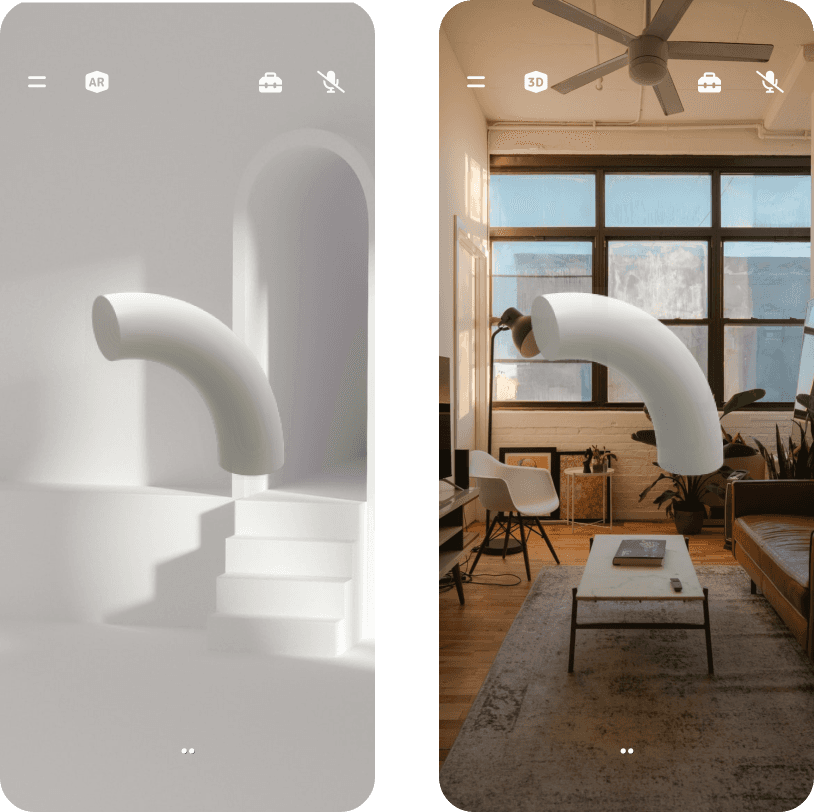
For the MVP, how can we allow space creators to quickly access AR mode while working in their space?
For the MVP, how can we allow space creators to quickly access AR mode while working in their space?
ACCEPTED SOLUTION
The AR/3D toggle is a fixed UI component in the space. When the AR/3D toggle is pressed, the space creator can switch between viewing the digital 3D space and the physical space they are in.
There is little change in UI between the modes, as it is anticipated that a smooth and unobtrusive transition will be important in the workflow for space creators working in a digital twin of a physical space.
The Ask
For the MVP, how can we allow space creators to quickly access AR mode while working in their space?
Accepted Solution
The AR/3D toggle is a fixed UI component in the space. When the AR/3D toggle is pressed, the space creator can switch between viewing the digital 3D space and the physical space they are in.
There is little change in UI between the modes, as it is anticipated that a smooth and unobtrusive transition will be important in the workflow for space creators working in a digital twin of a physical space.
Apple Beta Release
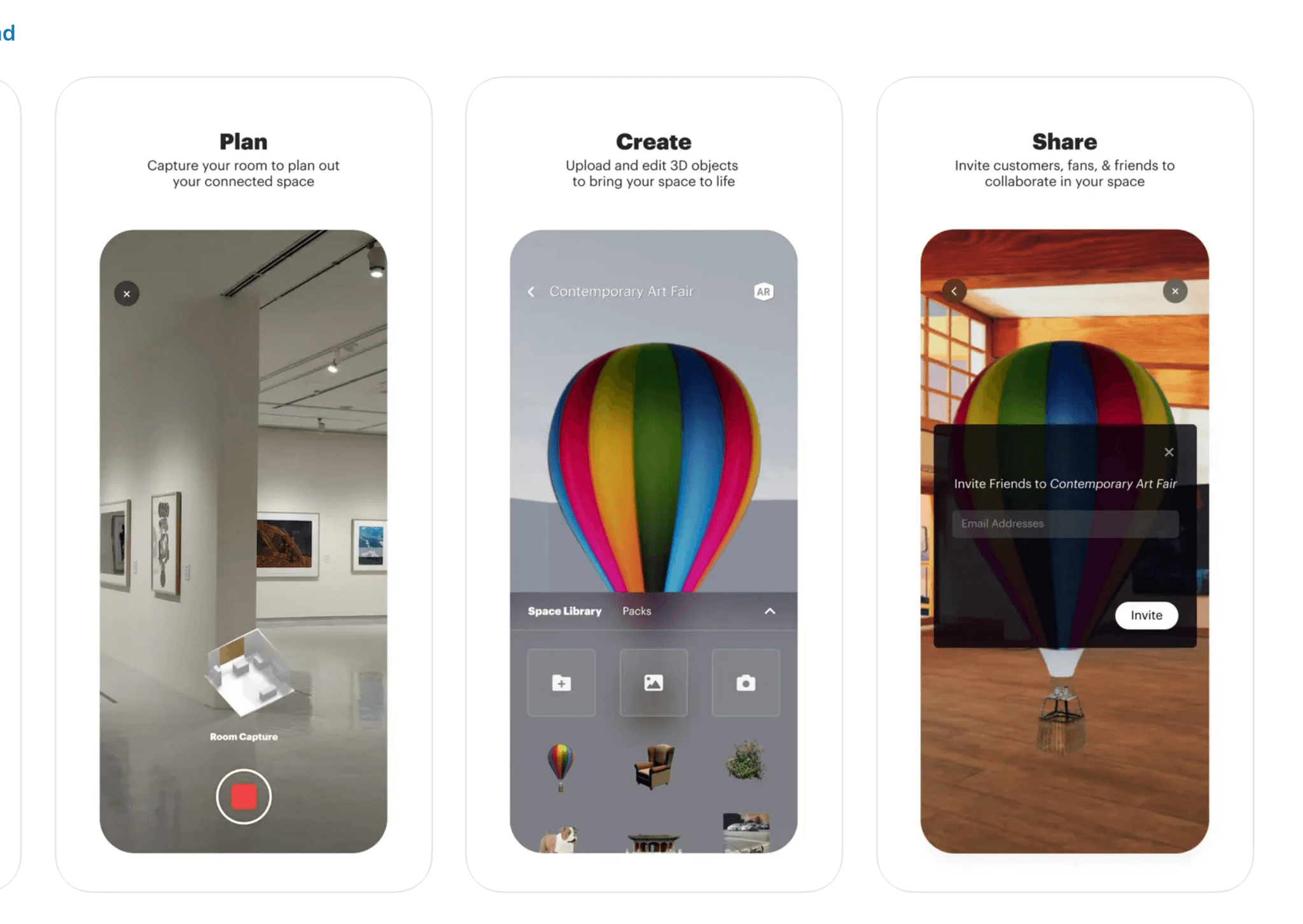
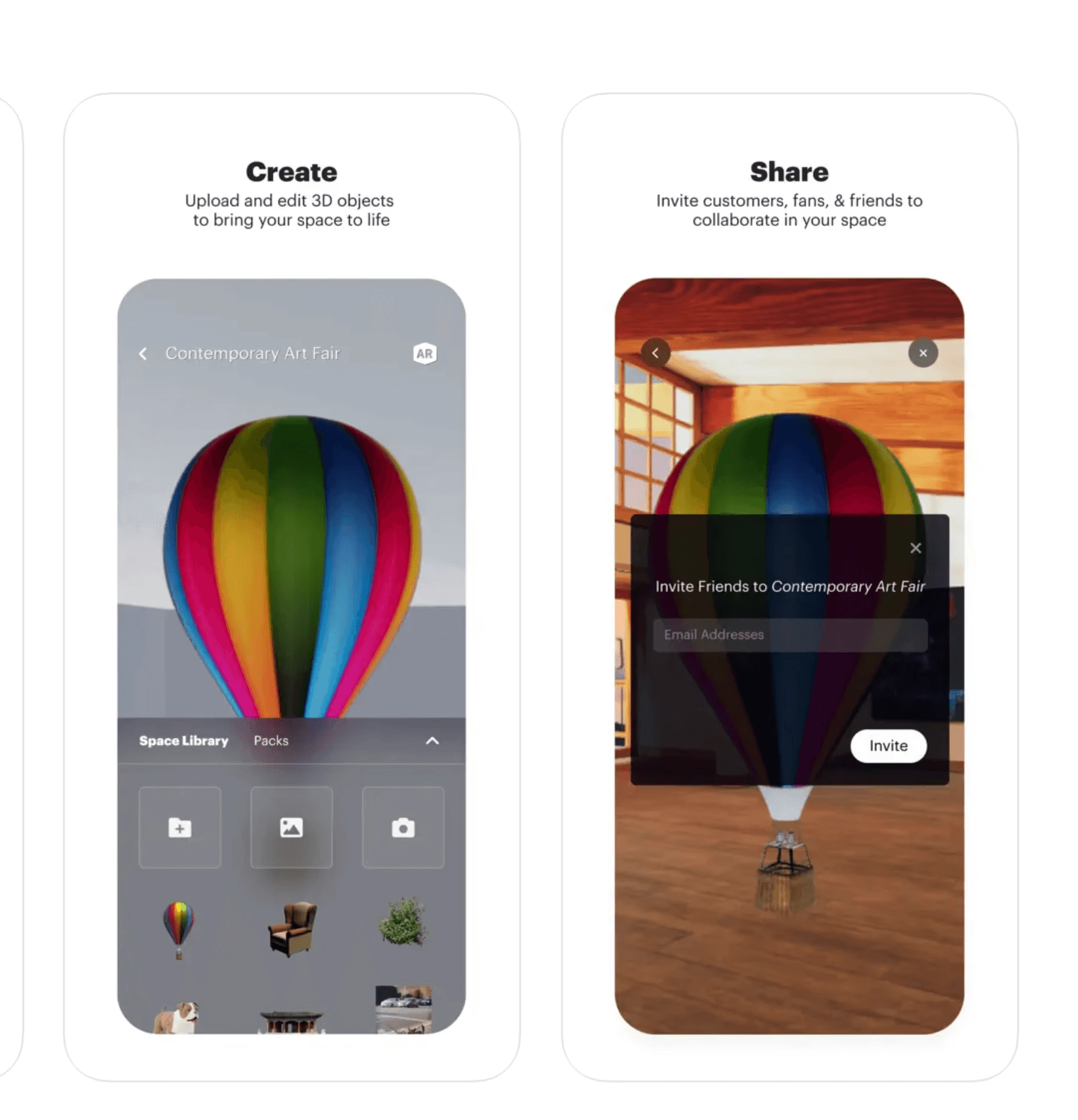
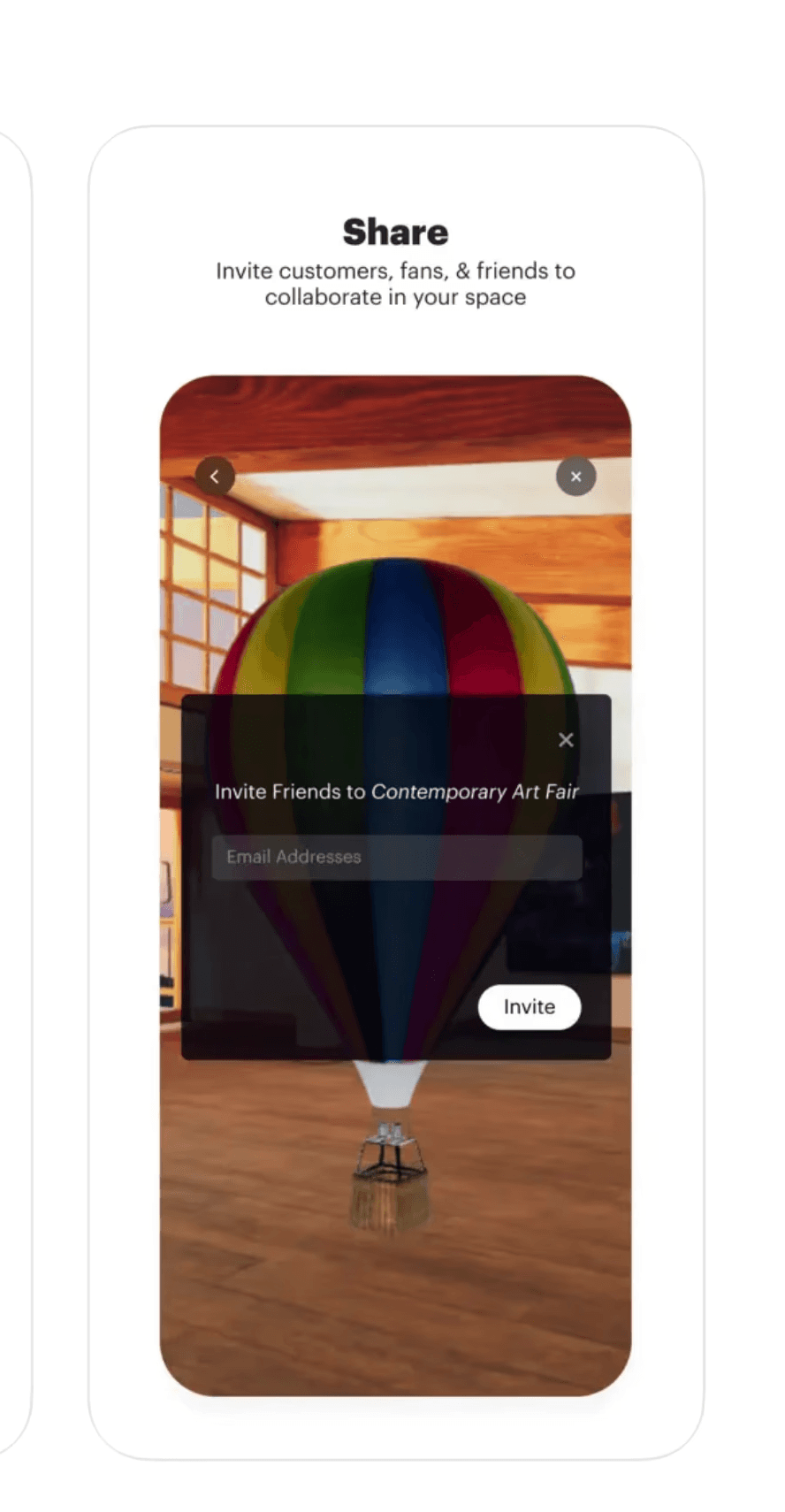
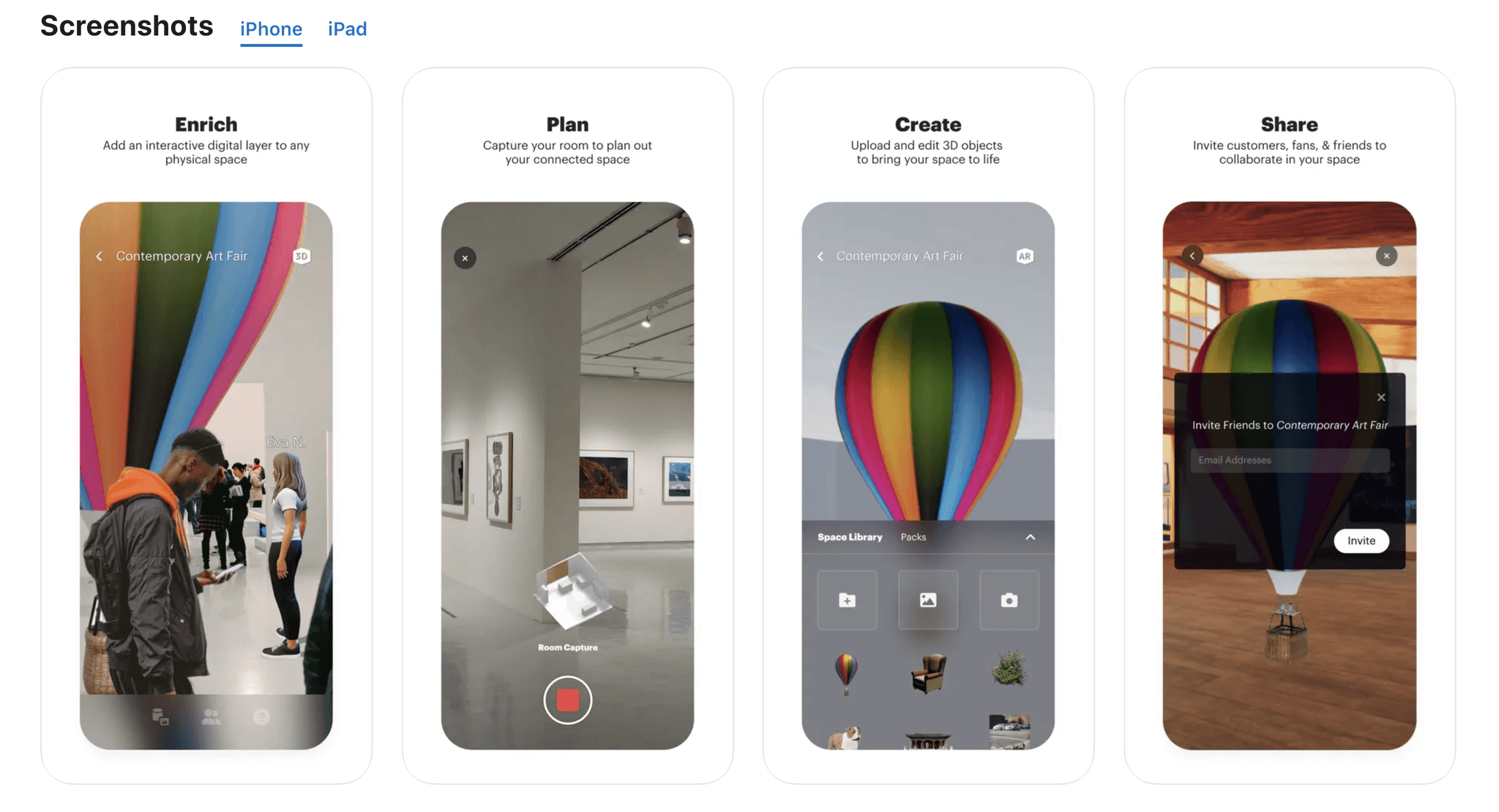
After handing off design files to developers, I continued to collaborate with developers through Jira tickets, Figma comments, and scheduled video-calls. Adjustments to the proposed product design were made due to limitations in development and continued changes in product direction. A Beta version of the product was released on the Apple store for iPhone and iPad users.
After handing off design files to developers, I continued to collaborate with developers through Jira tickets, Figma comments, and scheduled video-calls. Adjustments to the proposed product design were made due to limitations in development and continued changes in product direction. A Beta version of the product was released on the Apple store for iPhone and iPad users.
Future Product Iterations
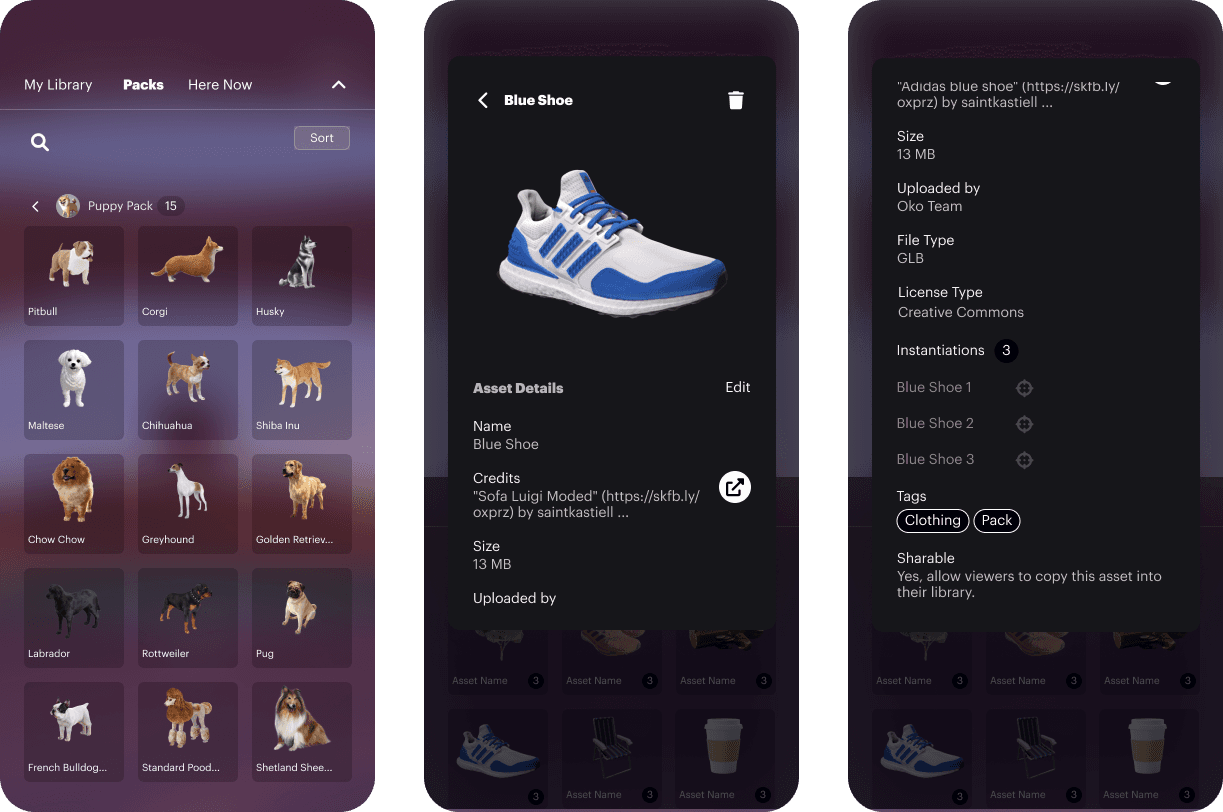
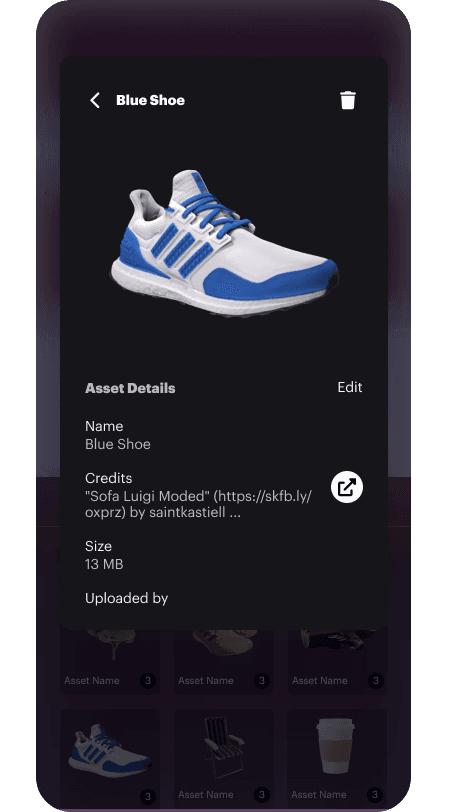
Features that were cut from the Beta release or any new features that were designed after the release are in consideration to be added in future product iterations. Opinions of investors and results of user interviews would determine feature prioritization.
Features that were cut from the Beta release or any new features that were designed after the release are in consideration to be added in future product iterations. Opinions of investors and results of user interviews would determine feature prioritization.
Reflection
Challenges of the project included dramatic shifts in product direction and extensive simplifications of UI given the complexity of features. Designing for product interoperability was also challenging. I needed to ensure that the features were consistently translated in a way that made sense across both mobile and web platforms. In summary, working on OKO's mobile application enabled me to be deeply involved in the entire product cycle, from concept to delivery, and provided me with the opportunity to tackle challenging and stimulating problems in software design.
Challenges of the project included dramatic shifts in product direction and extensive simplifications of UI given the complexity of features. Designing for product interoperability was also challenging. I needed to ensure that the features were consistently translated in a way that made sense across both mobile and web platforms. In summary, working on OKO's mobile application enabled me to be deeply involved in the entire product cycle, from concept to delivery, and provided me with the opportunity to tackle challenging and stimulating problems in software design.
Next Up
Next Up
Next Up